
The Drupal Contractor’s Toolkit in 2026
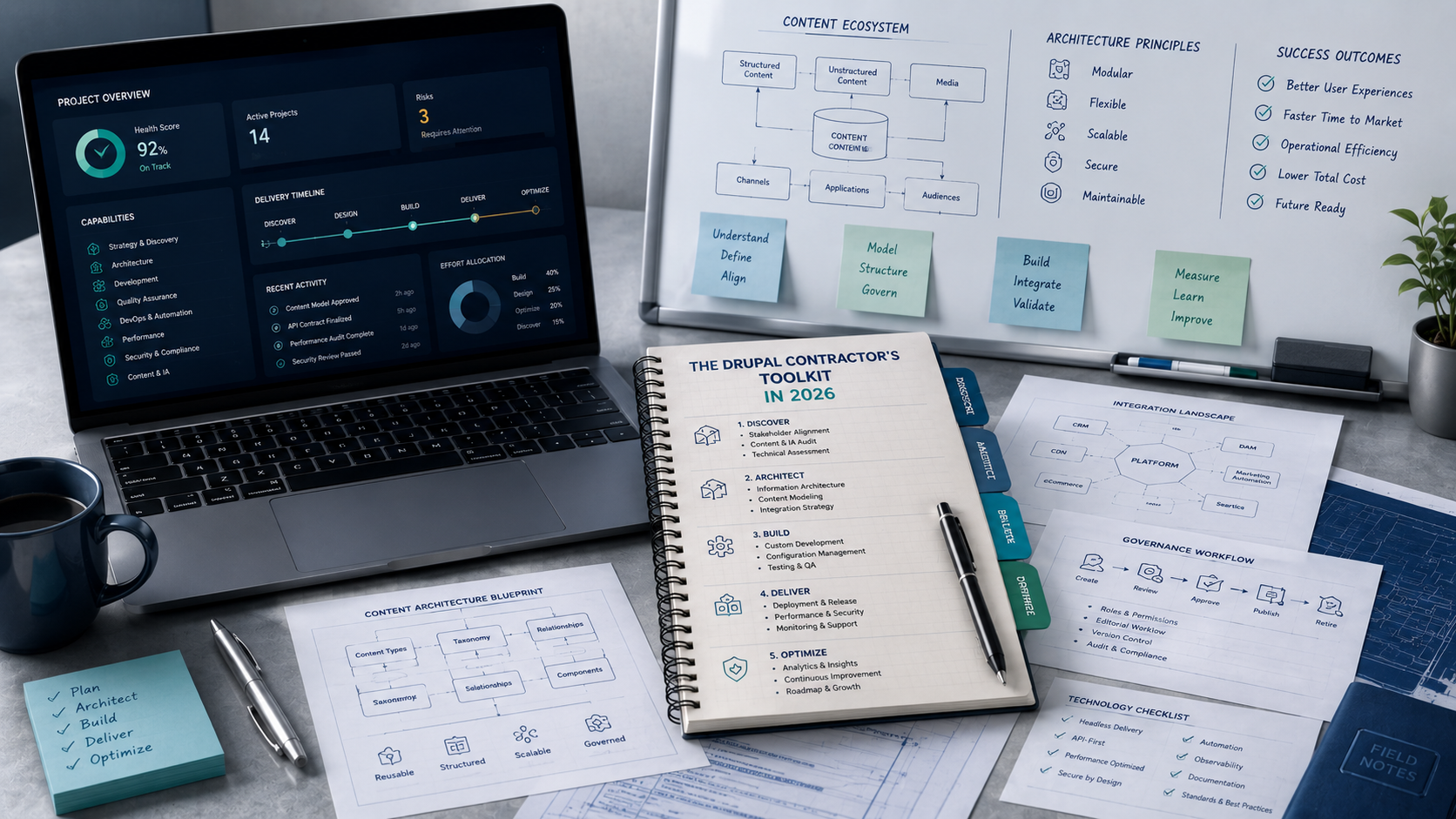
The tools, modules, and habits behind professional Drupal delivery — and the judgment that decides when each one belongs.
Ask Drupal contractors what belongs in their toolkit and the answers usually fall into one of two extremes.
The first is a short list of familiar names: Composer, Drush, DDEV, Git, and an IDE.
The second expands the idea of a toolkit so far that it becomes a general conversation about discovery, communication, and professional judgment.
Both are incomplete. The short list tells you what to install but not how to use it well. The broad version describes the mindset of a good contractor but hands them nothing to work with on Monday morning.
A useful toolkit sits between those two answers. It is a set of defaults a contractor can carry onto an unfamiliar project, paired with the reasoning that explains why each default earns its place and when to set it aside. This is that toolkit for 2026 — opinionated where the ecosystem has a clear best answer, deliberately flexible where experienced developers reasonably disagree.
It is not a catalog of every valid tool. It is a working stack with the thinking attached.
The Workstation
A contractor's workstation should be able to do one thing reliably: take an unfamiliar Drupal repository and make it understandable. Clone it, reproduce its environment, inspect its dependencies, debug its behavior, exercise its APIs, read its database, and document how it fits together.
The baseline stack that supports that work:
| Responsibility | Toolkit choice |
|---|---|
| Local environment | DDEV |
| Containers | Docker Desktop |
| Source control | Git |
| Repository platform tooling | GitHub CLI or GitLab CLI |
| Drupal CLI | Project-local Drush |
| Dependency management | Composer, run through DDEV |
| IDE | PhpStorm or VS Code |
| PHP debugging | Xdebug |
| Browser debugging | Chrome or Firefox developer tools |
| API testing | Postman |
| Lightweight HTTP and JSON inspection | cURL and jq |
| Database access | DBeaver, TablePlus, or a command-line client |
| Architecture diagrams | Mermaid or diagrams.net |
| Credential storage | 1Password, Bitwarden, or an approved business vault |
Some of these are firm. DDEV, Git, Composer, Drush, and Xdebug solve specific problems and should be standard. Others are genuinely a matter of preference — PhpStorm and VS Code are both serious Drupal environments, Chrome and Firefox both ship capable tooling, and database and diagramming choices depend on the contractor and the client.
The point is not to crown an artificial winner where the ecosystem supports several good answers. The point is to never walk into a project with an improvised stack assembled on the spot.
DDEV: the local environment
For most Drupal projects, DDEV should be the default. The reason is not that it is the most powerful option — it is that its configuration lives with the repository. PHP version, database, web server, and supporting services travel in the project itself, so every developer who clones the repo gets the same environment without reconstructing someone else's machine.
That portability is the whole point. A contractor should be able to clone a project, start it, install dependencies, import the database and files, and begin working — without a setup document full of "first, install this on your laptop" steps. When a project needs Redis, Solr, OpenSearch, or anything similar, that service belongs in the DDEV configuration too, versioned alongside the code, not documented as a manual install. A supporting service that only exists on one developer's workstation is a future outage waiting for the day that developer leaves.
If the .ddev directory is in Git and the environment is reproducible from a clean clone, the local stack is doing its job.
Composer: the application's dependency contract
Composer manages what the application is made of, and it should always run inside the project environment rather than against whatever PHP happens to be installed on the contractor's host. The reason is subtle but important: the host's PHP version and extensions can quietly change how dependencies resolve, which means a build that works on one laptop can fail on another for reasons nobody can see. Running Composer through DDEV removes that variable entirely.
Two files belong in every professional Drupal repository, without exception: composer.json and composer.lock. The lock file is not a build artifact to be regenerated casually — it is part of the application. It records the exact dependency set the team tested and intends to deploy. A repository missing its lock file has no defensible answer to the question "what did we actually ship?"
Two pieces of Composer fluency separate experienced contractors from the rest. The first is dependency auditing — checking installed packages against known security advisories — which should run as part of regular maintenance and in the CI pipeline, not as an occasional manual chore. The second is the ability to ask why a dependency exists and why an upgrade is blocked. A contractor who can only add and update packages can move a project forward until something breaks; one who can trace a dependency back to its source and explain why a major upgrade is stuck can actually untangle it. That investigative skill is most of what a complicated Drupal upgrade demands.
Drush: project-local, always
Drush operates Drupal — cache, configuration, database, users, logs, deployment routines. The single most important decision about it is also the easiest to get wrong: Drush must be installed in the project, not globally on the workstation.
The reasoning is the same logic that governs the whole toolkit. A globally installed Drush is one version trying to serve every project on the machine, which guarantees that sooner or later its version and a project's Drupal version disagree. A project-local Drush follows the repository — its version matches the code it operates on, and it travels with the project to every environment and every developer. Global tools drift. Project-local tools stay correct.
One discipline matters more than any command: the things Drush can do locally — rebuilding caches, importing configuration, running database updates — are not things to do casually in production. Knowing how to run a command is not the same as having the authority or the safety to run it against a live site. Production operations should always go through the client's approved hosting, deployment, and access model. The contractor who respects that line is the one who gets invited back.
Git and repository discipline
Git is non-negotiable, and the repository platform — GitHub or GitLab — brings its own command-line tooling for pull requests, issues, and pipelines. But the tool matters far less than the discipline around it.
The specific branching strategy a project uses is almost irrelevant. What matters is whether the project has one and whether everyone follows it. A contractor stepping onto a project should be able to answer, quickly: which branch is protected, how features are branched, whether changes require review, who can merge, which checks must pass, how releases are tagged, and what triggers a deployment. A project that cannot answer those questions has a delivery problem that no tooling will fix.
The same discipline applies at the level of a single change. A pull request that says "updated the module" is not a description — it is an absence of one. A professional pull request states the problem, the implementation, the areas affected, the testing performed, any configuration or database changes, and what deployment and rollback look like. That is not bureaucracy. It is the difference between a change the next person can understand and a change they have to reverse-engineer under pressure.
IDE and debugging
PhpStorm and VS Code are both legitimate, and a contractor should not be judged by which one they open. PhpStorm offers a deeply integrated, Drupal-aware environment out of the box. VS Code is lighter and becomes Drupal-capable through extensions for PHP, Twig, YAML, debugging, and standards checking. Either can deliver the outcome that actually matters: reliable navigation, Drupal-aware completion, integrated Git, inline standards feedback, static analysis, and a working debugger.
That debugger is the part worth insisting on. Temporary print-and-refresh debugging has its place, but it should not be anyone's primary method of understanding code. Step debugging with Xdebug replaces guesswork with observation — you stop the code at the moment in question and look at the actual call stack, the actual variables, the actual execution path. For the work where Drupal gets genuinely confusing — service and plugin execution, entity hooks, access logic, queue workers, unexpected exceptions — that direct look is worth more than any amount of inference. A contractor who debugs by reading the running program rather than guessing at it solves problems in a fraction of the time.
Code quality: standards and static analysis
Custom Drupal code should not rely on manual review alone, because manual review depends on a human noticing every issue every time, which no human does. Two automated layers carry that load.
Coding standards enforcement — Drupal's own Coder standards run through PHP_CodeSniffer — keeps custom code consistent with the way Drupal itself is written. This is not about taste. Consistent code is code the next contractor can read without friction, and on an enterprise project there is always a next contractor.
Static analysis, through Drupal-aware PHPStan tooling, is the more powerful of the two. It reads the code without running it and catches the category of mistakes that pass review and then fail in production: wrong method signatures, invalid return types, incorrect service usage, deprecated APIs, code paths that can return null, dependency injection done wrong. A legacy project will not pass a strict analysis level on day one, and that is not a reason to skip it. The professional move is to baseline the existing violations, block any new ones, and raise the bar over time. Static analysis that starts imperfect and improves is infinitely more valuable than static analysis that never starts.
For version upgrades, two more tools matter: an upgrade-status audit that surveys the whole environment for compatibility problems, and Drupal Rector, which automates many of the routine code transformations an upgrade requires. The essential discipline with Rector is to treat its output as a proposal, not a result. It produces a code change for review; it does not prove the feature still works. The contractor still has to read the diff and validate the behavior.
Modules and Tools by Engagement Type
The most common mistake in Drupal contracting is carrying a fixed list of modules onto every project. The toolkit is not a list to install — it is a set of kits to evaluate, chosen against what the project actually needs. A module earns its place because the project has the requirement it addresses, never because it appeared in a starter list. Every module is also a long-term maintenance and upgrade obligation, so the bar for adding one should be real.
A managed-content baseline. Admin Toolbar, Pathauto, Redirect, Metatag, and Simple Sitemap cover administration, URL patterns, redirects, metadata, and sitemaps — requirements most content sites share. Worth evaluating on nearly any project, but still justified case by case.
Editorial and publishing platforms. Start with what Drupal core already does well: Media and Media Library, Workflows, Content Moderation, and Layout Builder where it fits. Contributed modules — scheduling, moderation notifications, image cropping and focal point — extend that core. The genuinely architectural decision here is how structured content gets built: Paragraphs, Layout Builder, custom blocks, or a deliberate combination. That is a design choice with long consequences, not a default to install.
Headless Drupal. The decoupled toolkit begins with core JSON:API and expands according to the contract between Drupal and the frontend — extras for shaping the API, OAuth for authentication, routing and image-style helpers for the decoupled relationship. Just as important are the external tools that make an API inspectable: Postman for collections the whole team can share, cURL and jq for quick command-line checks, browser network tools, and clear API and authentication documentation. A headless project lives or dies on how well the contract between the two systems is documented and testable.
Migration projects. Migrate Plus and Migrate Tools form the base, often joined by source-specific modules or custom plugins. But the tooling that defines a successful migration is the measurement around it: source profiling, field-mapping documentation, validation reports, reconciliation counts, rollback procedures, and redirect mapping from old URLs to new. A migration that moves content but cannot prove what moved, what failed, and whether the result is usable has not actually finished.
Search projects. Search API with a Solr backend is the common stack, but the real work is in what surrounds it: schema inspection, index status, relevance testing, facet validation, and reindex procedures. The search service itself belongs in the DDEV configuration rather than installed by hand outside the project.
Performance-sensitive projects. Caching and cache-invalidation modules like Redis and Purge are starting points, supported by a reverse proxy or CDN, browser performance tools, and a profiler. The discipline that matters most is refusing to "fix" a performance problem before classifying it. Slow PHP, missing cacheability metadata, slow queries, oversized API responses, unoptimized images, third-party JavaScript, and CDN misconfiguration are entirely different problems with entirely different fixes. The toolkit exists to measure the problem, not to reinforce a guess about it.
Database and API access
A contractor needs both graphical and command-line access to the database — a GUI like DBeaver or TablePlus for browsing structure and relationships, and command-line access for fast, safe, read-only investigation. The work is inspection: table structures, indexes, query plans, oversized tables, queue and cache state, migration results.
One rule governs all of it. Direct database edits should remain exceptional. Drupal's entities, APIs, update hooks, and migrations are the correct way to change application data, because they respect the logic Drupal layers on top of the database. Reaching past that into raw SQL updates is how data quietly corrupts. Read freely; write through Drupal.
On the API side, the goal is making an API inspectable — Postman collections that capture authentication, headers, examples, and tests as shareable project assets, and cURL with jq for quick checks at the command line. An API the team cannot easily exercise is an API nobody fully understands.
Architecture documentation
Documentation is part of the toolkit, not an afterthought. Mermaid is the right choice when a diagram should live with the code — it is text-based, so it can sit in Markdown, move through pull requests, and be updated like any other file. diagrams.net is better when a diagram needs visual polish for a workshop or an executive audience.
Whatever the tool, the documentation that matters records the things a future team cannot easily reconstruct: system boundaries, content and authentication flows, external integrations, caching layers, deployment flow, data ownership, and the points where the system can fail. That last one — where it breaks — is the most valuable and the most often missing.
Testing
A complete toolkit tests at more than one level, matched to what is changing: unit tests for isolated logic, kernel tests for service and entity behavior, functional tests for routes and permissions, functional JavaScript tests for behavior that depends on the browser, and full browser tests for complete user journeys.
The goal is not a maximum test count. It is dependable coverage of the behavior that would genuinely hurt the organization if it broke — authentication, editorial publishing, registration, search, commerce, form submissions, API authorization, and the integrations the business depends on. Ten tests covering the operations that matter are worth more than a hundred covering trivia. The question to ask of any test suite is not "how much is covered?" but "would this catch the failure that would actually cause a crisis?"
Continuous integration
Local checks are useful; automated checks are reliable. The value of CI is that the same standards run on every change without depending on a reviewer to remember them. At minimum, a pull request should automatically validate the Composer setup, run a security audit, enforce coding standards, run static analysis, and run the test suite. Decoupled and frontend projects add linting, builds, and browser tests.
The platform — GitHub Actions, GitLab CI, a hosting provider's pipeline — barely matters. What matters is that the quality bar is enforced by the machine, every time, instead of by a human catching it sometimes.
Security and credentials
Security is not a module installed at the end of a project. It is a set of habits that run throughout it, and for Drupal specifically they include: tracking Drupal security advisories, auditing dependencies through Composer, keeping update status visible, configuring trusted host settings, protecting configuration and private files, making sure development modules are never enabled in production, reviewing permissions, sanitizing non-production database copies, handling OAuth keys carefully on headless builds, and — the one most often forgotten — removing project and hosting access cleanly when an engagement ends.
Credentials follow one unbreakable rule regardless of which vault a team uses: secrets never go into Git, tickets, email, chat, shared documents, AI prompts, or committed environment files. A contractor should be granted individual access rather than shared logins wherever possible, so that access can be traced and revoked. Shared logins make access impossible to trace and painful to revoke, which is why individual access is the rule wherever it's available.
AI-assisted development
An AI coding assistant now belongs in many contractor workflows, and on Drupal work it is genuinely useful for the right tasks: exploring an unfamiliar codebase, explaining a legacy service or plugin discovery, reviewing custom modules for deprecated APIs, drafting kernel test scaffolding, sketching migration field mappings, checking cacheability metadata, auditing access-control assumptions, and drafting documentation and update hooks.
Two boundaries make it safe. First, AI-generated code passes exactly the same gauntlet as human-written code — standards, static analysis, tests, security and access review, and manual validation. The assistant accelerates the work; it does not lower the bar. Second, an unapproved AI service never receives client secrets, production data, personal or regulated information, contractually private source code, or confidential architecture. The assistant can make a contractor faster. It cannot take on the contractor's responsibility, and treating it as if it could is how a tool becomes a liability.
The First Hour on Any Drupal Engagement
The clearest test of a toolkit is what a contractor can learn about an unfamiliar Drupal site in the first hour — before changing a single line. A senior contractor spends that hour not coding but diagnosing, and each tool answers a specific question about the platform's health.
Composer reveals dependency health. Is the lock file committed? Are dependencies current or years behind? Are there open security advisories? The answers say whether this is a maintained application or a neglected one, and how much risk is hiding in the parts nobody wrote.
Drush reveals system and configuration state. Which Drupal and PHP versions are in play? Is configuration synchronized, or has someone been making changes in production that were never exported? Configuration drift is one of the most common and most dangerous conditions on an inherited site, because it means the repository and the live site quietly disagree about what the site is.
Git reveals delivery discipline. Is there a coherent branching model and meaningful history, or a single branch and commits that say "fixes"? The repository tells you whether this project was delivered by a team with standards or assembled by whoever was available.
Logs reveal operational stability. What is the site actually complaining about, right now, in the background? Recurring errors in the logs are the difference between a site that looks fine on the surface and one that is failing quietly under load.
Custom code reveals maintainability and upgrade risk. How much custom module and theme code exists, is any of it tested, and how much of it uses APIs that are already deprecated? This is the number that most directly predicts how painful the next major upgrade will be.
By the end of that hour, the questions worth answering are concrete: which versions are running, whether dependencies and configuration are healthy, what custom code exists and whether it is tested, whether CI runs, how deployments happen, where the logs and backups live, and what external systems the site depends on. Only once that operating model is understood does changing code become responsible. This is where the toolkit stops being a collection of software and becomes an architect's method — and it is exactly the assessment an organization is paying for when they bring in a senior contractor at all.
The 2026 toolkit at a glance
Workstation: DDEV, Docker Desktop, Git, GitHub or GitLab CLI, PhpStorm or VS Code, Xdebug, browser developer tools, Postman, cURL, jq, a database client, Mermaid or diagrams.net, and a credential vault.
Every repository: a Composer project with a committed lock file, project-local Drush, committed DDEV configuration, exported Drupal configuration, a setup README, standards and static-analysis config, a test setup, a CI pipeline, and deployment and architecture documentation.
Custom development: Drupal coding standards, static analysis, deprecation detection, upgrade tooling, and tests proportional to risk.
Operations: logging, monitoring, backups, cron and queue visibility, deployment history, a rollback process, and a credential-offboarding checklist.
Project-specific kits: editorial modules for publishing platforms, JSON:API and OAuth for headless builds, Migrate Plus and Tools for migrations, Search API and Solr for advanced search, and caching, purge, and profiling tools for high-traffic systems.
Final thoughts
A Drupal contractor's toolkit should do more than make development convenient. It should make an unfamiliar platform understandable — exposing dependency risk before an upgrade begins, surfacing configuration drift before a deployment, and catching problems before code reaches production.
The tools in this guide — DDEV, Composer, Drush, Git, PHPStan, PHPUnit, Postman, Xdebug, and the rest — are not valuable because they are modern. They are valuable because they reduce uncertainty. Each one turns a question a contractor would otherwise have to guess at into something they can observe and prove.
That is the real standard for a professional toolkit in 2026. A contractor should be able to enter a Drupal project, reproduce it, assess it, change it safely, prove the change works, and explain what was done. Everything short of that is just a collection of software.